
Software rendering for Quake II
Includes the modern SGL2 driver, the original SGL driver from 2003, and the Rendition launcher.
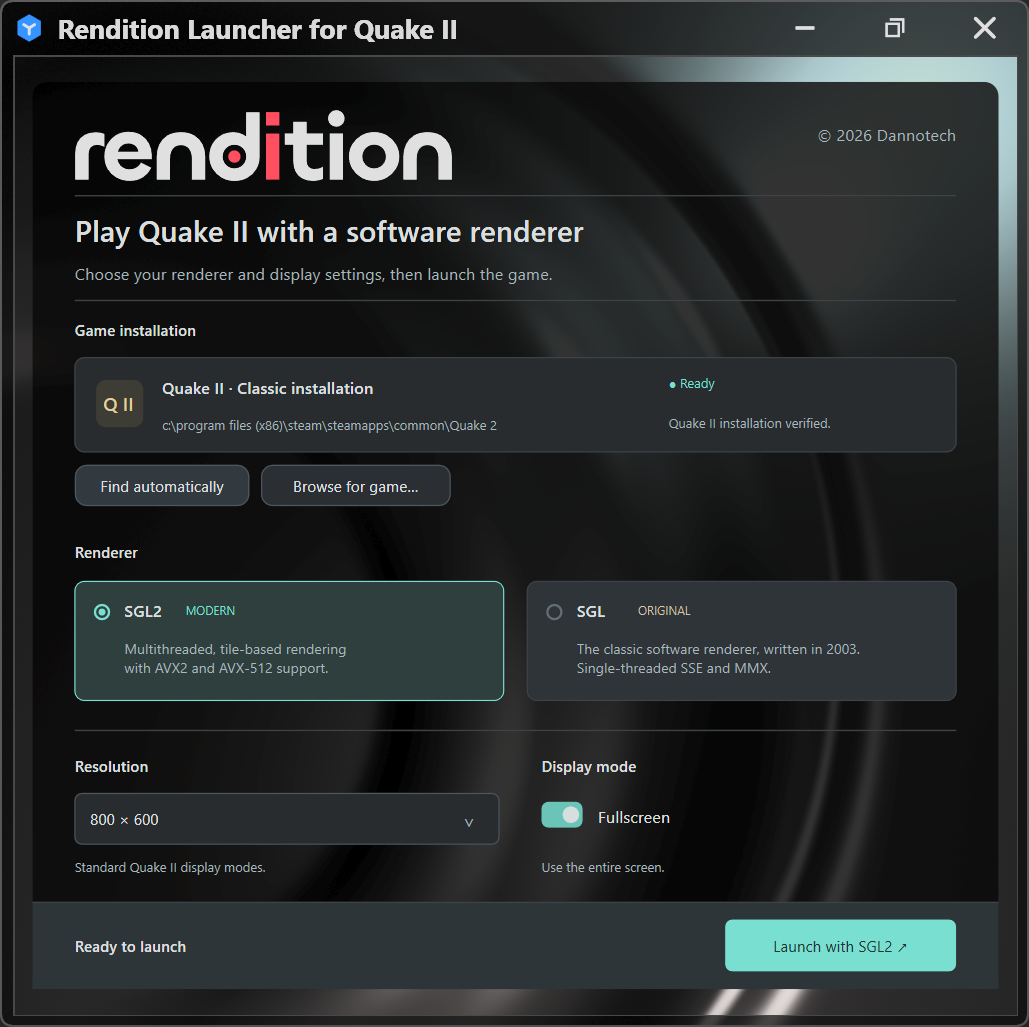
Using the launcher
- Extract the entire ZIP.
- Run SGL2Launcher.exe.
- Click Find automatically, or Browse for game and select your classic Quake II folder.
- Choose your renderer and display settings, then click Launch.
Manual setup
- Copy Drivers\SGL2.dll into your classic Quake II folder, beside the installed quake2.exe.
- Open Command Prompt in that Quake II folder and run:
"C:\path\to\RenditionLauncher\Engine\quake2.exe" +set vid_ref gl +set gl_driver SGL2.dll